Why Are You Still Drowning in Emails While Shopping Online?
How often have you lost track of a deal, missed a delivery update, or forgotten a return deadline—all because your inbox is chaos? You're not alone. Every day, hundreds of promotional emails, order confirmations, and shipping alerts blend into a blur. But what if your email could work for you, not against you? Imagine never missing a discount, tracking packages effortlessly, and keeping your shopping life organized—all without extra effort. This isn’t magic. It’s smarter email management. And the best part? You don’t need to be tech-savvy to make it happen. Just a few simple changes can turn your inbox from a source of stress into a quiet helper that supports your daily life.
The Hidden Cost of Cluttered Inboxes on Your Shopping Experience
We all love the thrill of online shopping—the ease, the variety, the surprise of a package arriving at your door. But somewhere between clicking 'Buy Now' and unpacking your purchase, things can go sideways. And more often than not, the culprit isn’t the store, the delivery, or even your budget. It’s your inbox. That overflowing sea of unread messages isn’t just annoying—it’s quietly costing you money, time, and peace of mind. Think about it: How many times have you bought something online, only to find out days later that you already owned it—or worse, had already ordered it? It happens more than you’d think. One quick click during a lunch break, a confirmation email buried under ten others, and suddenly you’ve got two identical blenders on the way.
And it’s not just about duplicates. Missed return windows are another silent budget-killer. You love the dress when it arrives, but it doesn’t fit quite right. You tell yourself you’ll deal with the return tomorrow. But tomorrow comes, and your inbox is flooded with flash sale alerts, loyalty points updates, and shipping confirmations from three other orders. That one email with the 14-day return deadline? Lost in the noise. Now you’re stuck with something you can’t wear, and that little guilt starts to build. It’s not just the money—it’s the feeling that you dropped the ball. And the truth is, you didn’t. Your system did.
Then there’s the stress of deliveries. You’re waiting for that one package—maybe it’s a birthday gift for your sister, or a replacement part for the kitchen faucet. You keep checking the tracking link, but the delivery updates get buried under newsletters and promo codes. You start wondering: Did it ship? Was it delivered? Did the courier leave it at the wrong door? That low hum of uncertainty isn’t just inconvenient; it wears on you. It pulls your attention away from your kids, your work, your evening walk. And all of this stems from one simple problem: your email isn’t helping you—it’s hindering you. But here’s the good news: it doesn’t have to be this way.
How Email Management Tools Transform Chaos into Control
Let’s talk about email management tools—not as something complicated or techy, but as your personal assistant for the digital world. Imagine having someone quietly sort your mail every morning, pulling out the important pieces, setting aside the junk, and making sure you see what matters most. That’s exactly what these tools do. They don’t require you to learn coding or spend hours setting things up. Most of them are built right into the email platforms you already use, like Gmail or Outlook. And they work in the background, so you don’t have to think about them.
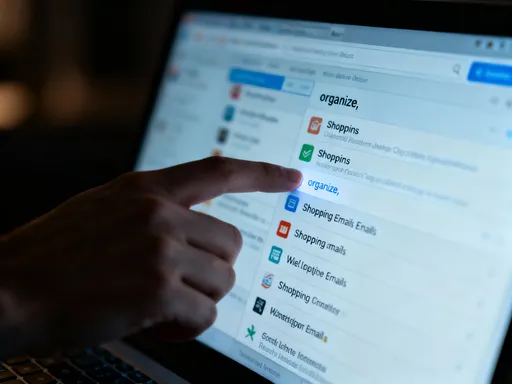
Take smart filtering, for example. This is like teaching your inbox to recognize certain types of messages and handle them automatically. When you get an order confirmation from Amazon or a shipping update from UPS, your email can move it to a specific folder—say, 'Orders & Deliveries'—so it doesn’t mix with your newsletters or family updates. You don’t have to search for it later. It’s right where you expect it. And when a price-drop alert comes in from your favorite clothing site, it can be flagged or starred so it stands out. These small actions add up to something big: control.
And with control comes calm. Think about how much mental space you free up when you’re not constantly worried about missing something important. No more double-checking whether you used that 10% off coupon. No more last-minute panic because a return deadline is looming. Your email becomes a tool that supports you, not a source of stress. It’s not about doing more—it’s about doing less and getting more in return. You’re not chasing your inbox; it’s working for you. That shift might sound small, but emotionally, it’s huge. It’s the difference between feeling overwhelmed and feeling on top of things.
Step-by-Step: Setting Up Your Email for Smarter Shopping (Part 1)
Now, let’s roll up our sleeves and get practical. I know the idea of 'setting up filters' might sound technical, but trust me—it’s easier than organizing your pantry. And just like labeling your spice jars makes cooking simpler, setting up your email makes shopping smoother. Start by opening your inbox and doing a quick scan. Look for recurring types of shopping emails. You’ll probably see a few patterns: order confirmations, shipping notifications, loyalty rewards, and promotional offers. These are your main categories.
Let’s start with order confirmations. These are golden—they tell you what you bought, when, and where it’s going. In Gmail, for example, click the little down arrow in the search bar. Type in 'from:orders@amazon.com' or 'subject:'Order Confirmation''. Then click 'Create filter'. A box will pop up asking what you want to do. Check the box that says 'Skip the inbox (Archive it)' and choose 'Apply label'. Create a new label called 'Orders'. Click 'Create', then 'Create filter'. Now, every time you get an order confirmation from Amazon, it goes straight to that folder. No more hunting.
You can do the same for shipping updates. Try searching for 'subject:'Your package has shipped'' or 'from:ship@ups.com'. Set up a filter to label those as 'Shipping Updates'. Now, when you want to check where your package is, you don’t have to dig through 50 emails. You go straight to the folder. And here’s a pro tip: set up a filter for returns too. Search for 'subject:'Return Label'' or 'Return Instructions' and label those as 'Returns'. That way, when it’s time to send something back, the info is ready and waiting. You’re not scrambling. You’re prepared.
Step-by-Step: Automating Deals, Discounts, and Delivery Alerts (Part 2)
Now that your orders and shipments are organized, let’s talk about savings. Because let’s be honest—part of the joy of online shopping is scoring a great deal. But what good is a 20% off coupon if it lands in your inbox and gets buried under five other messages? That’s where automation comes in. You can set up your email to not only sort but also highlight the opportunities you don’t want to miss.
Start with deals. Think about the stores you shop at most—maybe it’s Target, Sephora, or your local bookstore. Look for emails with subjects like 'Flash Sale', 'Exclusive Offer', or 'Member-Only Discount'. Set up a filter to automatically star these messages or apply a bright label like 'Deals to Review'. That way, when you have a few quiet minutes—maybe after the kids are in bed or during your morning coffee—you can open that folder and scan for anything worth grabbing. No stress, no FOMO. Just calm, intentional shopping.
You can also set up alerts for price drops. Some retailers send emails like 'The item you viewed is now on sale'. Search for phrases like 'price drop', 'now on sale', or 'discount alert'. Create a filter to label these as 'Price Drop' and mark them as important. Now, if something you were eyeing gets cheaper, you’ll know—without having to check the website every day. And here’s a game-changer: set up a rule for delivery deadlines. If you see an email with 'return by' or 'expires in 48 hours', have your inbox flag it or move it to a 'Urgent Actions' folder. That little nudge could save you $10 in return fees or help you catch a refund you didn’t know you were owed.
And don’t forget about loyalty rewards. Those points add up, but only if you use them. Set up a label for 'Rewards & Points' and apply it to any email that mentions your balance or expiration dates. Review it once a month, and you might find you have enough points for a free product or free shipping. It’s like finding money in your pocket—only this time, you made it happen by being a little more organized.
Integrating Tools with Daily Routines for Seamless Shopping
The key to making any system work isn’t perfection—it’s consistency. And the best way to stay consistent is to weave these tools into your existing routines. You don’t need to add a new task to your day. Just attach your email habits to something you’re already doing. For example, if you’re the type who plans your week on Sunday evenings, make it a habit to open your 'Deals to Review' folder while you’re sipping your tea. Spend ten minutes scanning for anything worth buying. If nothing stands out, close it and move on. No pressure.
Or, if you’re someone who checks your phone first thing in the morning, set up a daily digest or use the 'Important' inbox feature to highlight any urgent delivery updates. That way, you start your day knowing if a package is arriving or if there’s a return to mail. It’s not about checking email more often—it’s about checking the right things at the right time. You’re not reacting to chaos; you’re staying ahead of it.
You can also use your calendar to remind you of monthly check-ins. Put a recurring event for the first of every month called 'Email & Rewards Review'. During that time, go through your 'Rewards & Points' folder, unsubscribe from any stores you no longer shop with (yes, that’s part of email hygiene too!), and make sure your filters are still working. Sometimes, companies change their email addresses, and your old filters might miss a message. A quick monthly tune-up keeps everything running smoothly.
And here’s a gentle reminder: it’s okay if you miss a week. Life happens. The goal isn’t to be perfect. It’s to create a system that’s forgiving, flexible, and actually works for real life. When technology fits into your rhythm instead of disrupting it, that’s when it becomes truly useful.
Real-Life Gains: Saving Time, Money, and Mental Energy
Let’s bring this down to earth with a few real-life wins. Imagine this: You’re cleaning out an old drawer and find a pair of shoes you forgot you bought. You’re about to write it off as a loss—until you remember your 'Orders' folder. You pull up the confirmation email, check the return window, and realize you still have three days left. You print the label from your 'Returns' folder, drop it at the post office, and get a full refund. That’s $80 back in your pocket—all because your email was organized.
Or picture this: You get an email titled 'Your Points Are About to Expire'. Because you have a 'Rewards' label, you see it right away. You log in, redeem 5,000 points for a free skincare product, and add it to your cart. Free gift? Done. No stress, no last-minute scramble. Or how about this: You were considering buying a new coffee maker, but it was just a little too expensive. Then, one morning, you see a 'Price Drop' alert in your inbox. The model you wanted is now 15% off. You buy it, save $30, and feel like you just won a small victory.
But beyond the money, think about the mental energy you save. You’re not constantly worried about missing something. You’re not frustrated when you can’t find an email. You’re not annoyed at yourself for making a mistake. Instead, you feel capable. You feel in control. And that confidence spills over into other areas of your life. When your digital world feels calm, your real world feels calmer too. You’re not just managing emails—you’re managing your time, your choices, and your peace of mind.
Making Technology Serve You—Not the Other Way Around
At the end of the day, technology should make life easier, not harder. It shouldn’t demand your attention every time a new email arrives. It shouldn’t leave you feeling behind, overwhelmed, or guilty. It should work quietly in the background, handling the small stuff so you can focus on what really matters—your family, your passions, your well-being. Setting up smart email management isn’t just about organization. It’s an act of self-care. It’s saying, 'My time is valuable. My attention is precious. And I deserve a system that respects that.'
You don’t have to be a tech expert to benefit from this. You just have to be willing to make one small change at a time. Start with one filter. Then add another. Build the system slowly, gently, in a way that fits your life. And when it works—and it will—you’ll wonder why you didn’t do it sooner. Because the truth is, you’re not behind. You’re exactly where you need to be to begin. And from here, every step forward is a step toward more freedom, more clarity, and more joy in the everyday. Let your inbox be the quiet helper you’ve always needed. And then, go live your life—lighter, smarter, and more at peace.